Thursday, May 29, 2008

Thursday Tutorial

I have put together a mini tutorial to share with everyone here.

Altered Mouse Pad

Today you are going to alter a mouse pad using your scrapbooking supplies! You will need to gather up the following supplies:

mouse pad
adhesive
Patterned paper (I used Basic Grey)
pen
scissors or knife
rubons
glitter or stardust pen (optional)
Modge Podge (optional) *don't use too much or your paper will buckle*
paint brush (for podge)


Directions:
1. You need to decide where you would like your mouse pad to be positioned on your paper. I wanted the pretty birds to show on mine.

2. Once you have decided then flip it over and trace the outline of the pad with your pen.


3. I chose to ink the edges of my paper in brown. I find it hides any errors in cutting!
4. You then need to adhere your paper to your mouse pad.
5. Figure out where you would like your rubons to go.


6. I then grabbed my stardust gelly pen and added some glitter. (It doesn't show in the pictures though.)

7. If you intend to use this as your mouse pad for at the computer you may want to cover it with some Mod Podge to seal and protect it.

Viola!! A very pretty and unique mouse pad that the gals at work will envy!


Remember that if you chose to alter a mouse pad and send it to me at: thynner5@yahoo.ca then you will be entered into this month's blog prize. A great Maya Road collection of goodies!!


~Tara~

Tuesday, May 20, 2008

Challenge #11

It's time for another challenge. I want to see you get your creative juices flowing. It's not too hard but, I hope you have your thinking caps handy.

I want to see you create your own embellishment for your next creation. I will leave the details to you. You can alter some chipboard or make your own flowers, like I did.

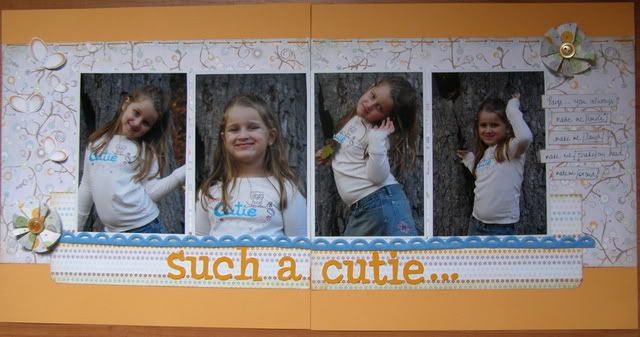
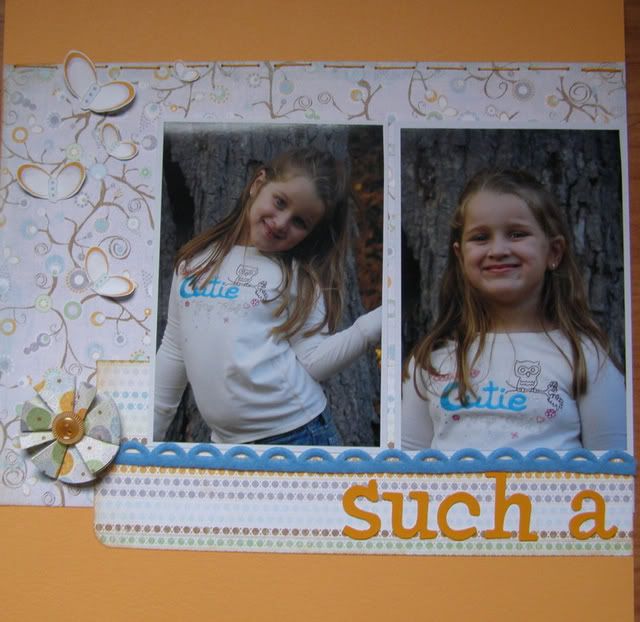
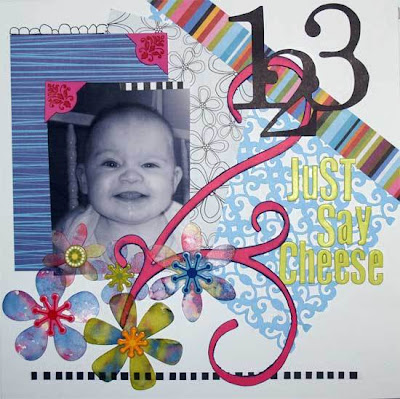
On my page, featuring Paige, I made my own flowers. I made them out of Crate Paper and used an Origami technique. I added a button and voila... a homemade embellishment!

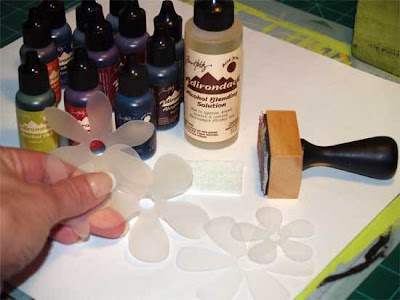
Here is a closer look at one of the flowers:


Everytime you send me a challenge based creation, send me a tip, technique or tutorial, use a font posted on the blog or any other ways I post, you get a ballot for the Monthly Blog Prize Draw!. On the 15th of every month I will randomly pick a winner!!
You can email them to me at: thynner5@yahoo.ca . Please put Scrapdango Blog Challenge in the subject line.

~Tara~

Monday, May 19, 2008

Blog Winner Announcement

I am sorry I am a little late posting the Monthly Blog Prize winner.

I had my daughter, Emmy pick the winner from a John Deer hat. I usually use a random generator but, it's fun to let the girls have a go at picking too. They enjoy it.

So...... the winner of the Board Purse book and Daisy Bucket Goodies is.....................

Holly!!

Please pm me your address and I'll mail you your prize.

Another session is underway!! I'll post the prize pack tomorrow along with another challenge!

Thanks again to everyone who sends in thier work. I love recieving them and showcasing them on the blog! You rock!

~Tara~

Saturday, May 17, 2008

Blog Tutorial

I have a very special treat for everyone today. A fellow Dango gal has sent me a wonderful tutorial that I am sharing with you today!

Ghost Shapes and Alcohol Ink Technique by Holly
Ghost Shapes and Letters have been popular for some time however, have you ever gotten tired of the “same ole same ole” when altering them and making them your own? Try using Tim Holtz Adirondack Alcohol Inks to create a special ghost item all your own.

Alcohol Inks dry very quickly and being fully prepared prior to beginning is a must.**USE ONLY IN A WELL VENTILATED AREA**First cover your work area thoroughly (I use a double layer - one plastic and one cardstock) and wear rubber gloves if this is your first try at using them. (your fingernails will absorb the colors and other than making a fashion statement with the new trendy “tie died” nails…you will be wearing the inks for a while-these inks take weeks to wear off!!!
Lay out your supplies and again be ready before beginning

SuppliesAdirondack Inks (two or three colors at least)
Adirondack Blending Solution
Applicator
Applicator pad
Ghost shapes and/or Alphas (I used Maya Road)
Attach a NEW CLEAN pad to the applicator handle. (Please note this handle is not a necessity but after several projects without it…..I find it a MUST HAVE!) If you choose to try this without the applicator handle, bundle up some felt(a thick bundle) and use-WEAR GLOVES!
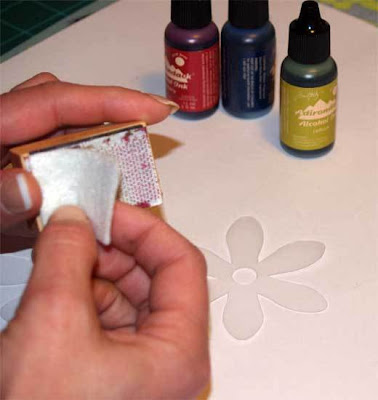
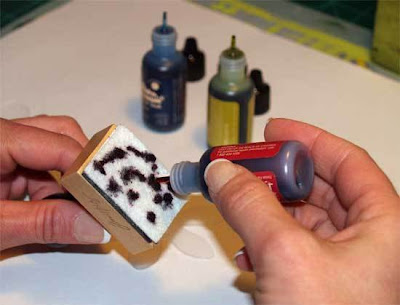
Next, Open all the bottles you are planning to use……again the AI’s dry so fast, you must work quickly and caps slow you down. Start with your first select color and apply a small amount to the applicator pad.
Pat the pad across your ghost image leaving some bare spots.
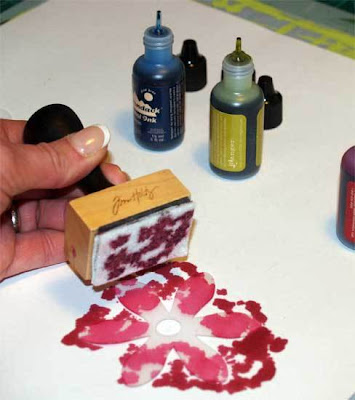
Using the blending solution, dribble a few dots over the ghost image.(notice the fun effects you get!)
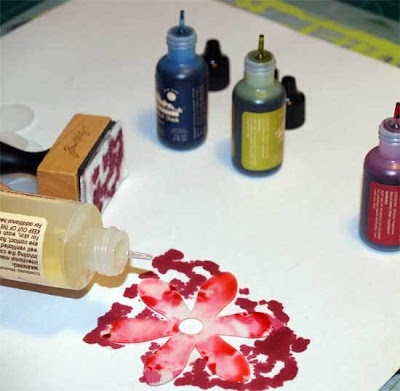
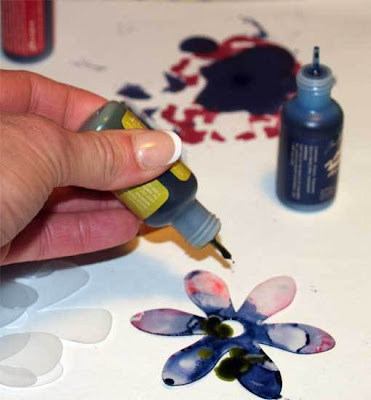
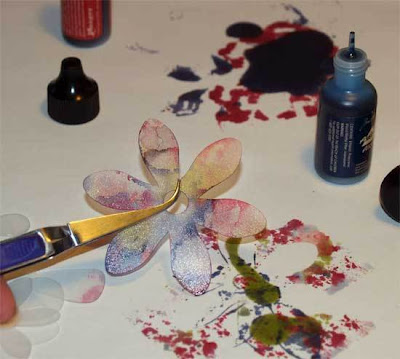
While the Blending solution is wet and puddled add a second and third color of AI's to your image.


You should use the applicator to remove excess ink if needed. Apply additional color if you want and try some experiments adding blending solution.Use tweezers to handle the image until thoroughly dry.

Apply the images to you project and enjoy the fact you have created a very individualized ghost shape!!!


Thank you very much Holly for sharing this great project with us. You have earned a ballot for the monthly draw which I will post the winner for tomorrow once my girls wake up.
NOW... Challenge time!! I would love to see you girls try this awesome technique. For eveyone who does and sends me thier project, they will recieve a ballot for the new draw that begins..... NOW!! Email them to me at: thynner5@yahoo.ca and put "Scrapdango Blog Challenge #10" in the subject line.
If you have any tips, techniques or tutorials you would like to share you can email them to me. You will recieve a ballot each time you send something in.
~Tara~


Friday, May 16, 2008

Scrapdango Tips

I love it when you gals send me some tips. I have a few wonderful tips to share with you from Ally (thecircleguru)

Here's a few tips for you...
- Clear rhinestones.... color them with alcohol inks to get different colors!

- Unmounting your wood mounted stamps.... put them in the microwave for a few seconds to loosen the adhesive between the stamp and the wood block to make it easier to take them off.

- Rub-ons.... staple the backing to the rub-on sheet so the rub-ons don't adhere themselves to the packaging or another piece of paper on your desk.

Thanks Ally for sending in these great tips. You have earned yourself a ballot for this months Blog Prize Draw!! If you have any tips or techniques your would like to share with us please email them to: thynner5@yahoo.ca and put "scrapdango blog" in the subject line.

Look out tomorrow when I will be posting an awesome tutorial from one of our Dango girls. She also earned herself a ballot for the draw!!

I will have my girls draw a name tonight when we they get home from thier riding lessons. Then... another prize round begins!

~Tara~

Tuesday, May 13, 2008

Challenge #9 ~ Sketch Puzzle

Its' time for a little fun! I have put together a sketch puzzle for you gals to solve. When you are done, print off the sketch and create a layout!

I have chosen a sketch from my friend Lucy's Sketch World Blog. I always have a great time with Lucy's sketches and some of my favorite layouts that I have made are from using her sketches!

I have made a medium version and a hard version for you to solve. Please note that they are both of the same sketch.

Medium Version

Hard Version

If you have any problems printing this sketch off just send me a pm or email me at: thynner5@yahoo.ca and I will send you the sketch. Please put: “Scrapdango Sketch Puzzle” in the subject line.

Also, if you use this sketch as the foundation for your next layout and email it to me or provide a link you will be entered in this month’s Blog Draw!!

Have fun!

~Tara~

Saturday, May 10, 2008

Challenge #8

Its time to combine two of my favorite things.... fonts and challenges!!


I have found a fresh and funky new font for my Dango girls! It is called Sketched Out! Cool or what??


You can dowload this awesome new font here: Dafont

Now for the challenge...... once you have this cool font on your computer I would like to see you use it to make a card or on a layout. Please email your creation to me at: thynner5@yahoo.ca and put "Scrapdango Blog Challenge 8" in the subject line.

Everyone who sends in a creation will earn a ballot for the Blog Prize Draw!!

Have fun and enjoy your new font!

~Tara~